


Hallmark+
Crown Media Holdings Inc.
Hallmark+ is the kind of entertainment app I reach for when I want something gentle, familiar, and easy to watch rather than another intense series to keep up with. It brings Hallmark movies, original series, and related feel-good programming into one place, with Crown Media Holdings Inc. behind the service. I tested it with accessibility and everyday comfort in mind, paying attention not only to what I could watch, but also to how much effort it took to find something, start it, and keep watching.
The app is free to install, although some viewing choices may involve in-app purchases ranging from $3.99 to $79.99 per item. That distinction matters: downloading the app costs nothing, but I would not treat the entire catalog as automatically free. It is aimed at a Teen audience, and its Android listing shows support from Android 6.0 onward. The current version is 8.107.2, so users with older phones should check compatibility before planning around it.
My overall impression is positive for viewers who already enjoy Hallmark’s warm, low-stress style. The strongest part is the focused catalog. Instead of making me search through a huge general streaming service, it puts romantic movies, family-friendly stories, seasonal viewing, and Hallmark-related shows in front of me. The trade-off is that this focus can feel narrow if I want documentaries, major blockbuster films, live television, or a broad mix of genres.
How comfortably can different viewers use Hallmark+?
Readability and navigation are best when I already know what mood I want
The main benefit of a dedicated service is that I do not have to fight through unrelated recommendations. When I opened Hallmark+ looking for a relaxed evening movie, the app’s identity was immediately clear. I was not trying to decode an unfamiliar entertainment brand or guess whether a title belonged to the service. The catalog is built around the Hallmark tone, which makes browsing less mentally demanding for its intended audience.
That simplicity is especially useful for someone who finds large streaming libraries overwhelming. On a general service, I can spend longer choosing than watching because there are too many genres, versions, and recommendations competing for attention. Here, the narrower purpose acts as a filter. I can browse with a simple question in mind: do I want a movie, an original series, or another piece of feel-good Hallmark content?
Related News

Why WhatsApp Messenger Still Makes Everyday Communication Feel Easy

Jurassic World: The Game Is the Better Dino Tycoon for Strategic Players

Threads in Real Life: Who Should Join, Lurk, or Leave

How SHEIN Turned Shopping Into an Endless Content Feed

How to Make Fortnite Feel Smarter on Mobile

Should You Switch to Microsoft Outlook on Mobile?
The focused catalog is an accessibility advantage in practice, even though it does not replace dedicated accessibility tools. Reduced choice can make a service easier to approach for people who tire quickly from visual scanning or decision-making. It also suits a shared household where one person wants a predictable type of entertainment and does not want to explain every recommendation.
There is a practical limitation, though. A focused catalog only helps if the labels and browsing flow match the way I think. I may know that I want “something light tonight,” but not remember a title or actor. In that situation, a broad service with stronger cross-genre search may be more efficient. Hallmark+ works best when my goal is already close to its programming identity; it is less useful as a general-purpose discovery tool.
For users with reduced vision, readability depends heavily on the phone or tablet itself and on how comfortably the interface scales in that environment. I would test the app on the device I plan to use rather than assume that every text element will be equally comfortable. A larger screen can make browsing and watching easier, while a small phone may require more visual concentration during catalog navigation.
Gallery
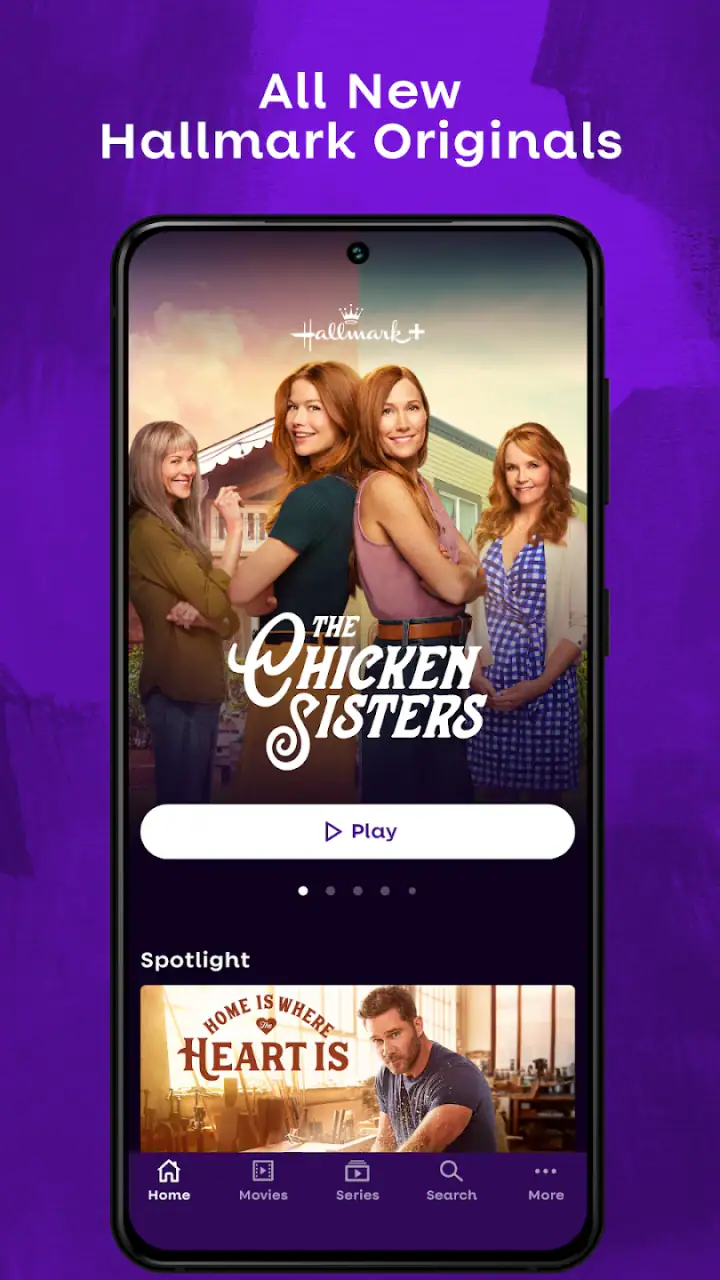
I also recommend starting with a short browsing session before committing to a long evening. That lets me see whether the title artwork, descriptions, and controls are comfortable at my preferred brightness and text size. If I am setting up the app for a relative, I would do this together and leave the device at a comfortable display setting instead of treating installation as the end of the setup.
Motor and sensory considerations change the viewing experience
Watching a movie is usually less physically demanding than playing a game, but streaming apps still require repeated taps, scrolling, and occasional navigation back to the catalog. For someone with limited dexterity, the important question is not only whether playback begins, but whether the whole path from opening the app to choosing a title feels manageable. Hallmark+ is most comfortable when I already have a clear choice and can avoid extended browsing.
A useful routine is to choose a title before settling into a position where reaching the phone is difficult. I would also keep the device stable rather than holding it continuously, especially during a full-length movie. A stand or larger screen can reduce the need for precise hand movements, and it makes the viewing surface easier to share with another person.
For viewers sensitive to bright screens or rapid visual changes, the content choice matters as much as the application. Hallmark’s familiar feel-good style may be calmer than action-heavy entertainment, but that does not mean every title will suit every sensory preference. I would preview the opening moments at a comfortable brightness and avoid assuming that a gentle story automatically means a gentle viewing environment.
Sound is another important consideration. I would use headphones, speakers, or the device’s volume controls according to the viewer’s needs, but I would not promise that every title offers identical captioning or audio options without checking during playback. If captions are essential for understanding dialogue, I would verify their availability on the specific program before planning a group viewing around it.
This is one of the app’s key trade-offs for me: Hallmark+ can make content selection feel calmer, but it cannot by itself solve every physical or sensory barrier. The phone, tablet, speaker, lighting, seating position, and chosen title all influence whether the experience is comfortable. In other words, the app is part of the setup, not the entire accessibility solution.
Situational access: where the app fits naturally into daily life
I found the service most useful in ordinary moments when I wanted predictable entertainment without a complicated plan. After work, I might have enough energy for a movie but not for comparing dozens of unrelated shows. Hallmark+ gives that evening a clear shape: open the app, choose a familiar type of story, and settle in. That is a small advantage, but it is exactly the kind that makes a streaming app become part of a routine.
It also works well for shared viewing across generations. A family member who does not enjoy violent or highly technical entertainment may feel more comfortable choosing from this catalog. Someone who prefers romantic stories can browse independently, while another viewer can join without needing to understand a large fictional universe or a complicated series history.
For older adults or less confident technology users, I would prepare the app rather than simply handing over the phone. I would sign in, adjust the display and sound, explain where to return to the catalog, and show how to stop playback. The app’s narrow entertainment purpose can reduce confusion compared with a general streaming platform, but a first-time user may still benefit from a short demonstration.
Hallmark+ can also be a good option when the viewer wants content that feels emotionally lighter. That does not mean every story will be suitable for every person, and the Teen content rating should be kept in mind. Still, compared with services that constantly push crime, horror, or high-intensity drama, this app gives me a more predictable starting point for a quiet evening.
On the other hand, I would hesitate to choose it as the only entertainment service for a household with very different tastes. A teenager looking for current mainstream releases, a sports fan, or someone who wants a large international catalog may quickly run into the limits of the Hallmark focus. A general streaming alternative is better when variety matters more than consistency.
The free installation is helpful for trying the service without an upfront download cost. I would still pay attention to the point at which viewing or particular content asks for a purchase. Since individual in-app purchases can sit anywhere from $3.99 to $79.99, I would review the on-screen purchase details carefully, especially if a child or someone unfamiliar with digital purchases uses the device.
What remains difficult for users with different abilities
The biggest remaining barrier is uncertainty during the actual viewing decision. A store summary can tell me that the app contains Hallmark movies and series, but a person with specific access needs may require more detail about a particular title, its presentation, and the controls available while watching. I would not assume that one comfortable program guarantees the same experience across the whole catalog.
Another limitation is the dependence on touch navigation. If precise tapping or repeated swiping is difficult, browsing can become tiring even when the eventual movie is easy to watch. My practical workaround is to minimize unnecessary movement: open the app with the device positioned securely, choose from a small set of likely titles, and avoid treating the catalog like something that must be explored from beginning to end.
People who rely on captions, strong audio clarity, or other viewing adjustments should check the playback screen for the specific program they want. I consider this a necessary step rather than a minor preference. A service can be appealing in tone and still be unsuitable for a particular viewer if the dialogue is difficult to follow or the available presentation options do not meet that person’s needs.
There is also a cognitive trade-off in the service’s familiarity. For many viewers, the Hallmark identity makes the app easier to understand. For others, the repeated emphasis on similar emotional territory may make the catalog feel limiting. If I need constant novelty to stay engaged, the focused design becomes a restriction rather than a benefit.
Device age can affect the decision as well. The Android requirement begins at version 6.0, which covers many older devices but does not guarantee an equally smooth experience on every phone or tablet. I would leave room for the possibility that an older device feels less comfortable for browsing or playback than a newer, larger screen, even when the app installs successfully.
How it compares with ordinary streaming alternatives
Compared with a broad streaming platform, Hallmark+ wins on identity and emotional predictability. I spend less time filtering out content that does not interest me, and I can recommend it to someone who specifically wants Hallmark programming rather than “a bit of everything.” That focused purpose is the reason I would choose it, not a weakness I would try to hide.
A general service wins on breadth, search flexibility, and the chance of satisfying several very different viewers under one subscription. If my household wants animation, sports, serious drama, reality shows, and major releases, I would start there. Hallmark+ is a specialist choice: better for a defined mood and audience, less suitable as a universal replacement.
It also differs from free ad-supported entertainment apps in how I approach it. Those services may offer wider random variety, but they can require more patience to find a specific tone. Hallmark+ gives me a clearer destination. The cost question still needs attention because free installation does not make every viewing option free, and the listed purchase range is wide enough that I would never tap through without reading the prompt.
For accessibility, I would compare the actual title and device experience rather than choosing based only on the service category. A larger general platform may provide a more familiar navigation system for one person, while Hallmark+ may be easier for another because there are fewer distracting choices. The better option depends on whether the main barrier is finding suitable content, controlling playback, reading the interface, or meeting a specific sensory need.
Who I would recommend it to, and who should skip it
I would recommend Hallmark+ to viewers who already know they enjoy Hallmark’s original series, movies, and related feel-good programming. It is particularly appealing for someone who wants a calmer catalog, a shared family viewing option, or a straightforward way to stay within one recognizable entertainment style. The app has passed one million installs and holds a 3.2 average from around fourteen thousand ratings, which suggests a substantial audience but also a mixed experience rather than universal approval.
I would also suggest trying it for a relative who becomes frustrated by oversized streaming catalogs. I would set it up with them, check the display and sound, and explain the purchase boundary before leaving them to browse. That small amount of preparation can make the difference between a relaxing service and another app that feels like work.
I would skip it if I want one application to cover every genre, or if my main goal is the newest mainstream entertainment rather than Hallmark-specific viewing. I would also be cautious if captions, audio presentation, or another playback feature is essential and I have not checked the exact title I plan to watch. In that situation, a service with clearly documented options that match my needs may be the safer choice.
The Teen rating is another reason to choose thoughtfully for younger viewers. I would not install it on a shared family device and assume that the label alone answers every content question. Instead, I would select programs together and use the app as a curated viewing service, not as an unattended substitute for parental judgment.
My inclusive verdict after using the service
Hallmark+ is most inclusive when its focused catalog reduces stress and decision fatigue. I like that it gives viewers a clear entertainment destination instead of making them navigate an enormous library. For people who value familiar, feel-good stories, that clarity can support independent choice and make shared viewing easier.
At the same time, I would not describe it as automatically accessible for everyone. Comfort depends on the device, the viewer’s motor control, the readability of the screen, the sound setup, and the options available for the chosen title. The app helps most with content discovery and emotional predictability; it does less to remove the practical barriers involved in touch navigation and playback.
Crown Media Holdings Inc. has built a specialist entertainment experience rather than a universal streaming toolbox. That is exactly why I would recommend it to the right person and avoid overselling it to everyone else. Try it when the Hallmark catalog is the main attraction, check the viewing controls that matter to you, and be deliberate about in-app purchase prompts. If those points fit your routine, the free installation makes Hallmark+ an easy service to explore and a comfortable companion for low-pressure movie nights.
FAQs for Hallmark+
What is Hallmark+ and what kind of content does it offer?
Hallmark+ is a subscription streaming service focused on Hallmark entertainment. It includes a selection of original movies, series, mysteries, seasonal programming, and other family-friendly content associated with the Hallmark brand. The exact catalog can change over time and may vary by location, so users should check the current library and availability in their country before subscribing or downloading the app.
Is Hallmark+ free to download and use?
The Hallmark+ app can generally be downloaded at no cost, but most of its content requires a paid subscription after any available trial period. Subscription options, pricing, billing frequency, and promotional offers may differ depending on the platform and region. Before confirming payment, review the displayed terms carefully, including automatic renewal and cancellation conditions.
Which devices are compatible with the Hallmark+ app?
Hallmark+ is designed for use on supported Android and iOS mobile devices, and it may also be available through compatible televisions, streaming media players, or web browsers. Compatibility can depend on your operating system version, device model, and location. If you plan to watch on a TV, verify that your specific device or platform is supported before subscribing.
Can I watch Hallmark+ content offline without an internet connection?
Offline viewing availability may depend on the title, subscription plan, device, and current app features. If downloads are supported, users typically need to save content through the official app while connected to the internet and watch it within any stated expiration or access limits. It is best to check each title and the app’s download settings rather than assuming every program is available offline.
Does Hallmark+ include live television or only on-demand streaming?
Hallmark+ primarily provides on-demand access, allowing subscribers to choose movies and programs from the available catalog whenever they want. The service may also offer special channels, premieres, live-style programming, or event features depending on the market and current version of the app. Users looking for traditional live television should review the latest service description before downloading.
Pros
- Large library of Hallmark movies
- series
- and seasonal content.
- Includes exclusive Hallmark+ originals and premieres.
- Live TV channels add a traditional viewing option.
- Supports multiple profiles for different household members.
- Available on phones
- tablets
- smart TVs
- and streaming devices.
Cons
- The catalog is mainly suited to Hallmark fans and romance viewers.
- Some content may require a higher subscription tier or add-on.
- Offline downloads may not be available for every title.
- Video quality depends heavily on your internet connection and device.
- Availability of shows and features can vary by country.


